Finding Documentation
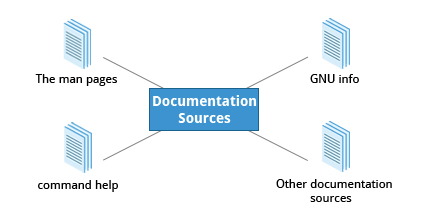
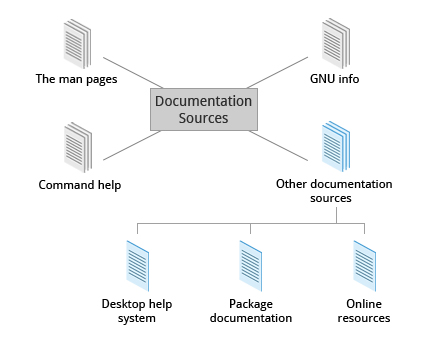
- The man pages (short for manual pages)
- GNU Info
- The help command and -help option
- Other documentation sources, e.g.Gentoo Handbook or Ubuntu Documentation.
The man pages
- The man pages are the most often-used source of Linux documentation. They provide in-depth documentation about many programs and utilities, as well as other topics, including configuration files, and programming APIs for system calls, library routines, and the kernel. They are present on all Linux distributions and are always at your fingertips.
- The man pages infrastructure was first introduced in the early UNIX versions, at the beginning of the 1970s. The name man is just an abbreviation for manual.
-
Typing man with a topic name as an argument retrieves the information stored in the topic’s man pages. man pages are often converted to other formats, such as PDF documents and web pages.
-
The man program searches, formats, and displays the information contained in the man page system. Because many topics have copious amount of relevant information, output is piped through a pager program (such as less) to be viewed one page at a time. At the same time, the information is formatted for a good visual display.
-
A given topic may have multiple pages associated with it and there is a default order determining which one is displayed when no options or section number is specified.
-
To list all pages on the topic, use
-foption. -
To list all pages that discuss a specified topic (even if the specified subject is not present in the name), use the
–koption. -
man –fgenerates the same result as typingwhatis. -
man –kgenerates the same result as typingapropos.
man -f sysctl
sysctl (2)           - read/write system parameters
sysctl (8)           - configure kernel parameters at runtime

man -k sysctl
_sysctl (2)          - read/write system parameters
proc (5)             - process information, system information, and sysctl pseudo-filesystem
proc_sys (5)         - system information, and sysctl pseudo-filesystem
procfs (5)           - process information, system information, and sysctl pseudo-filesystem
sysctl (2)           - read/write system parameters
sysctl (8)           - configure kernel parameters at runtime
sysctl.conf (5)      - sysctl preload/configuration file
sysctl.d (5)         - Configure kernel parameters at boot
systemd-sysctl (8)   - Configure kernel parameters at boot
systemd-sysctl.service (8) - Configure kernel parameters at boot- The default order is specified in
/etc/man_db.confand is roughly (but not exactly) in ascending numerical order by section.
Manual Chapters
-
The man pages are divided into chapters numbered 1 through 9.
-
In some cases, a letter is appended to the chapter number to identify a specific topic.
- For example, many pages describing part of the X Window API are in chapter 3X.
-
The chapter number can be used to force man to display the page from a particular chapter. It is common to have multiple pages across multiple chapters with the same name, especially for names of library functions or system calls.
-
With the
-aparameter, man will display all pages with the given name in all chapters, one after the other, as in:man -a socket
GNU Info
- GNU Info System is the GNU project’s standard documentation format, which it prefers as an alternative to man. The Info System is basically free-form, and supports linked subsections.
- Functionally, info resembles man in many ways. However, topics are connected using links (even though its design predates the World Wide Web). Information can be viewed through either a command line interface, a graphical help utility, printed or viewed online.
Using info from the Command Line
- Typing
infowith no arguments in a terminal window displays an index of available topics. You can browse through the topic list using the regular movement keys: arrows, Page Up, and Page Down. - By typing
info <topic name>, it can view help for a particular topic. The system then searches for the topic in all available info files. - Some useful keys are:
qto quit,hfor help, andEnterto select a menu item.
info Page Structure
- The topic which you view in an info page is called a node.
- Nodes are essentially sections and subsections in the documentation. You can move between nodes or view each node sequentially. Each node may contain menus and linked subtopics, or items.
- Items function like browser links and are identified by an asterisk (
*) at the beginning of the item name. Named items (outside a menu) are identified with double-colons (::) at the end of the item name.
| Key | Function |
|---|---|
n |
Go to the next node |
p |
Go to the previous node |
u |
Move one node up in the index |
- Items can refer to other nodes within the file or to other files.
The --help Option and help Command
The --help Option
-
Most commands have an available short description which can be viewed using the
--helpor the-hoption along with the command or application.- For example, to learn more about the man command, you can type:
man --help -
The
--helpoption is useful as a quick reference and it displays information faster than the man or info pages.
The help Command
- When run within a bash command shell, some popular commands (such as
echoandcd) actually run especially built-in bash versions of the commands rather than the usual binaries found on the file system, say under/binor/usr/bin. It is more efficient to do so as execution is faster because fewer resources are used. - To view a synopsis of these built-in commands, you can simply type
help. - For these built-in commands, help performs the same basic function as the
-hand--helparguments perform for standalone programs.
Other Documentation Sources
Graphical Help Systems
All Linux desktop systems have a graphical help application. This application is usually displayed as a question-mark icon or an image of a ship’s life-preserver, and can also always be found within the menu system. These programs usually contain custom help for the desktop itself and some of its applications, and will sometimes also include graphically-rendered info and man pages.
- GNOME: gnome-help or yelp
- KDE: khelpcenter
Package Documentation
- Linux documentation is also available as part of the package management system. Usually, this documentation is directly pulled from the upstream source code, but it can also contain information about how the distribution packaged and set up the software.
- Such information is placed under the
/usr/share/docdirectory, grouped in subdirectories named after each package, perhaps including the version number in the name.
Online Resources
Other sources of Linux documentation:
- Desktop help system
- Package documentation
- Online resources.